TaskMap® Professional Edition
Simple, affordable, powerful — and dynamic!
Document and visualize processes in minutes! TaskMap Professional combines simplicity for authors with the
power of visualization and data connectivity in a single package. Updating process maps created with the system
is also a breeze with TaskMap Capture for Excel*.
Product Overview
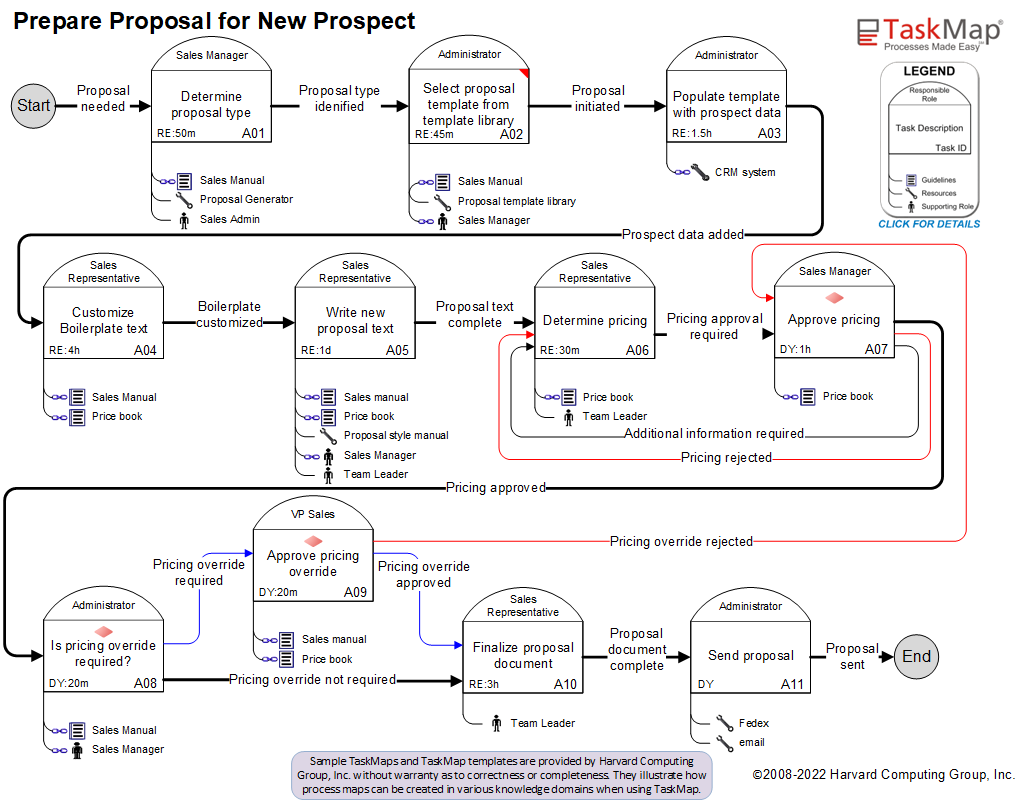
TaskMap, an application for Microsoft Visio, is the simplest, fastest and most cost-effective way to document
processes – and we guarantee it!
Now TaskMap Professional supercharges TaskMap by adding sophisticated data visualization
capabilities and the ability to link to external data sources. TaskMap Pro gives your process
maps an entirely new set of dynamic capabilities. Imagine…
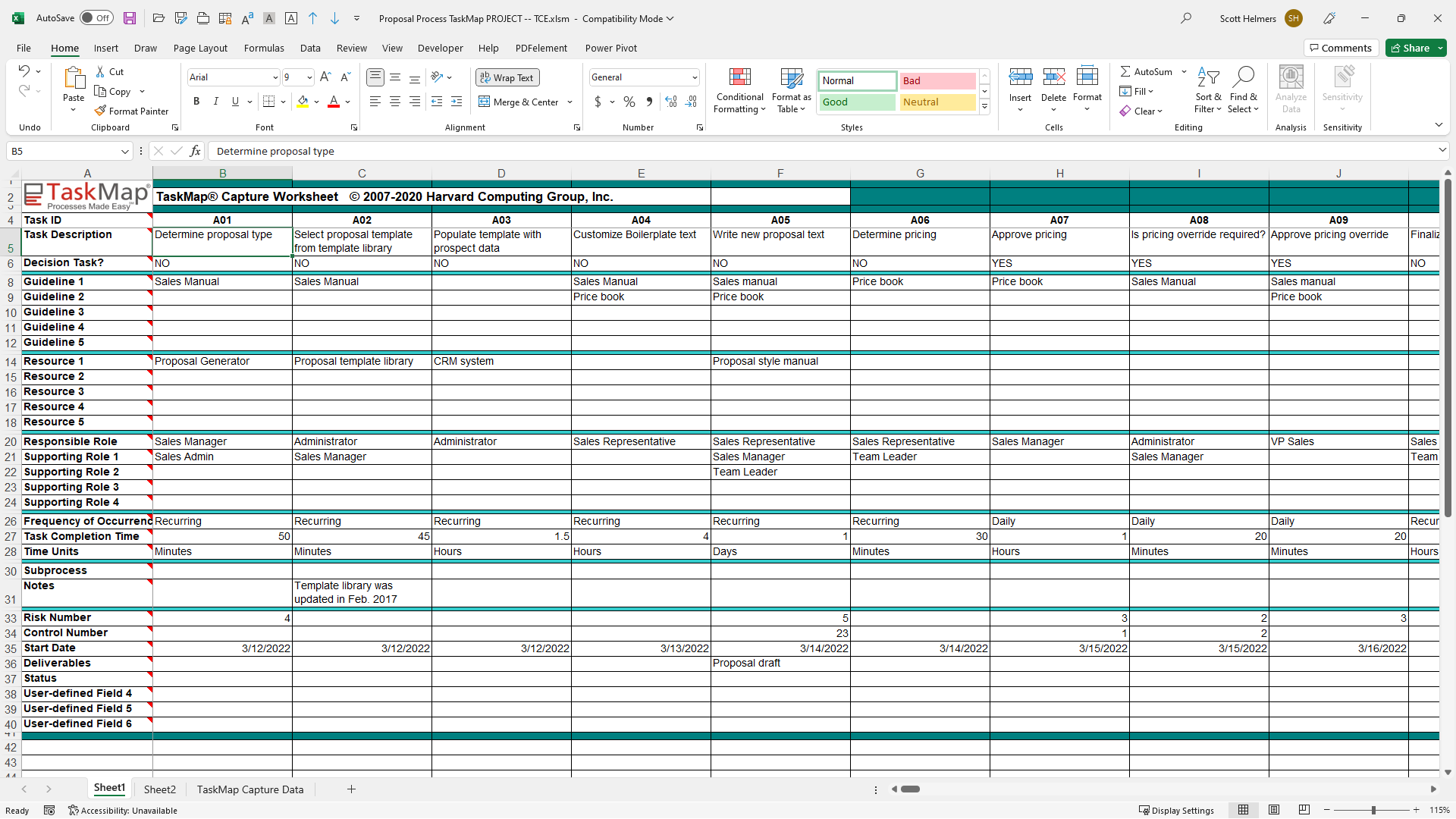
- Populating Task shapes with data simply by linking the TaskMap to a spreadsheet
- Watching the symbols on your TaskMap change as you update data in a spreadsheet
- Updating a spreadsheet and having the
changes flow automatically to a TaskMap
TaskMap Professional includes new user-defined data fields along with fields to identify Risks
and Controls. There are six new reports and support for Microsoft Office 2007 document types.
Data Visualization
TaskMap Professional builds on the exciting data visualization capabilities of Visio 2007 Professional
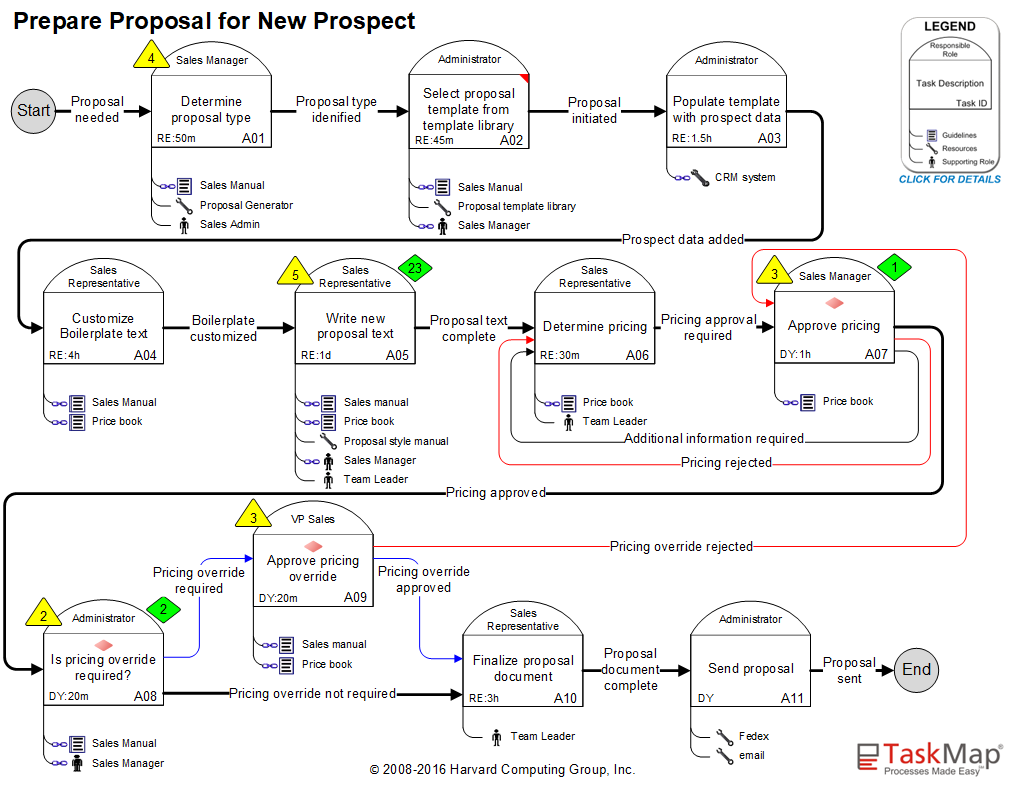
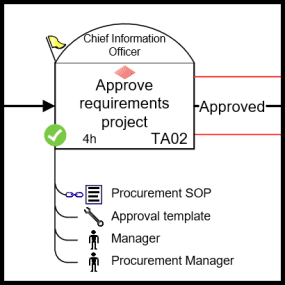
by providing pre-defined icons, text callouts and graphics that have been designed specifically
for enhancing the presentation of process data. Add value to your process maps by adding visual annotations based on underlying data values.
With TaskMap Professional data graphics you can...
- Mark decision Tasks with a diamond icon
- Flag special conditions or circumstances within a process
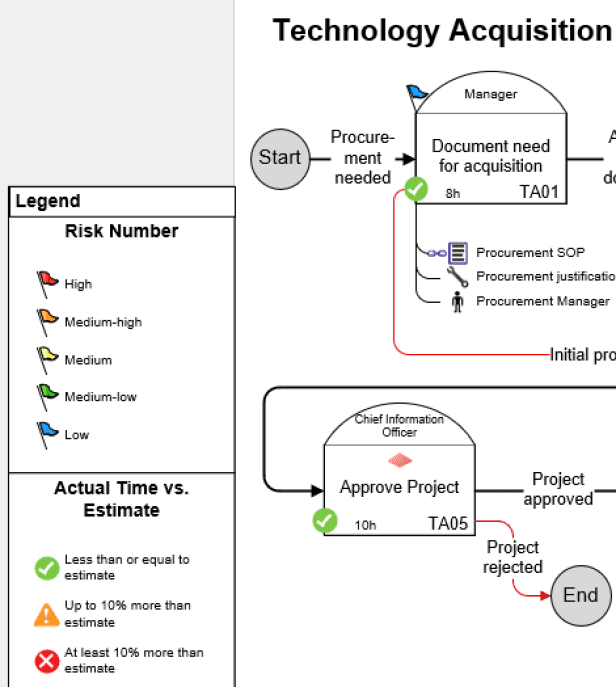
- Identify specific risks or indicate relative risk level
- Display user-defined data
- Display Responsible Role in an alternate format
- Mark all Tasks or Task Links that exceed a user-defined time threshold
TaskMap Professional also makes it simple for you to customize the built-in data graphics. Don't
like the color? Click TaskMap Options to change it. Don't like the position of the graphic? Move
it to a new location.
And if you need even more ways to display your process data, you can use Visio 2007 Professional's
Data Graphics to create hundreds of other types of visual annotation on TaskMaps.
Data Linking
Data Linking means that you can connect your TaskMaps to external data sources such as spreadsheets, databases, and SharePoint lists. Linked TaskMaps allow you to move data into your maps dynamically — whether you are creating a map from scratch or refreshing one with real-time updates.
And TaskMap Capture for Excel* makes it even easier by providing a pre-formatted spreadsheet with fields and dropdown lists for all Task data fields.
With TaskMap Professional data linking you can...
- Import data from external sources directly into Task shapes
- Create new Task shapes from process data in external spreadsheets or databases
- Automate data links so that changes to source data automatically change TaskMap
- Combine data linking with data visualization so that changes to external data sources
dynamically change graphic annotations on your TaskMap: great for status displays, dashboards, process map overview pages
TaskMap Professional Edition adds serious power – including sophisticated data visualization capabilities and the ability to link process maps to external data sources – all without sacrificing TaskMap’s renowned ease of use. Download the TaskMap Professional data sheet for a full list of TaskMap Pro’s data visualization and data linking capabilities.

Ideal for:
- Creating process and procedures in a simple to use and distribute format
- Building and distributing process dashboards to intranets and PDF
- Managing process projects and distributing task/process data in Excel
- Analyzing and improving business processes
- Six Sigma, Sarbanes-Oxley, Kaizen, Lean and other quality and compliance applications
What is included
- TaskMap Professional software license (downloadable software)
- TaskMap Capture for Excel license (for use on same PC as TaskMap Pro)
- Web-based training course (see details)
- Email-based technical support
- 3 Month Maintenance plan included. Complete customer support coverage for 3 months from the date of purchase (See details)
- Support for Visio 2010 (TaskMap 4 only)
Payment and Guarantee
Secure, online payments can be made with major credit cards and Paypal. You will receive email notification of your transaction after payment.
All our software products are backed with our RISK FREE 30 day money back guarantee. See why thousands are standardizing on our Visio based application and training courses.

|